

Play Solitaire, Spider, and Freecell. Our game is 100% free and contains all the features you know and love from the classic Microsoft Solitaire. Our game features unlimited undo’s and hints. You can toggle sound, set autoplay, turn 3 cards or turn 1 card at a time, and much more under settings.
Welcome to the Solitaire Collection, a beautifully crafted card game bundle developed by Holger Sindbaek that brings together three of the most beloved solitaire variants in one convenient package. Whether you are a longtime fan of Klondike, a Spider strategist, or a FreeCell puzzle enthusiast, this collection has something for everyone.
This comprehensive guide covers everything you need to know about the Solitaire Collection—game rules for each variant, customization options, winning strategies, and why this free browser-based collection is the perfect way to enjoy classic card games anytime, anywhere.
What Is the Solitaire Collection? An Overview
The Solitaire Collection is a free browser-based card game that includes three classic solitaire variants: Klondike, Spider, and FreeCell. Developed with attention to the features that made Microsoft Solitaire a cultural icon, this collection offers unlimited undos, unlimited hints, customizable settings, and a clean, intuitive interface.
The games are designed to be accessible to beginners yet challenging for experienced players. The rules follow the classic standards, so if you have played solitaire before, you will feel right at home. If you are new, the unlimited hints will help you learn.
Why the Solitaire Collection stands out:
- Three complete games – Klondike, Spider, and FreeCell in one place
- 100% free – No subscriptions, no in-app purchases
- Unlimited undos – Experiment without fear
- Unlimited hints – Learn strategies as you play
- Customizable settings – Turn 1 or 3 cards, toggle sound, autoplay, and more
- Classic Microsoft Solitaire features – The look and feel you remember
- Play anywhere – Browser-based with no download required
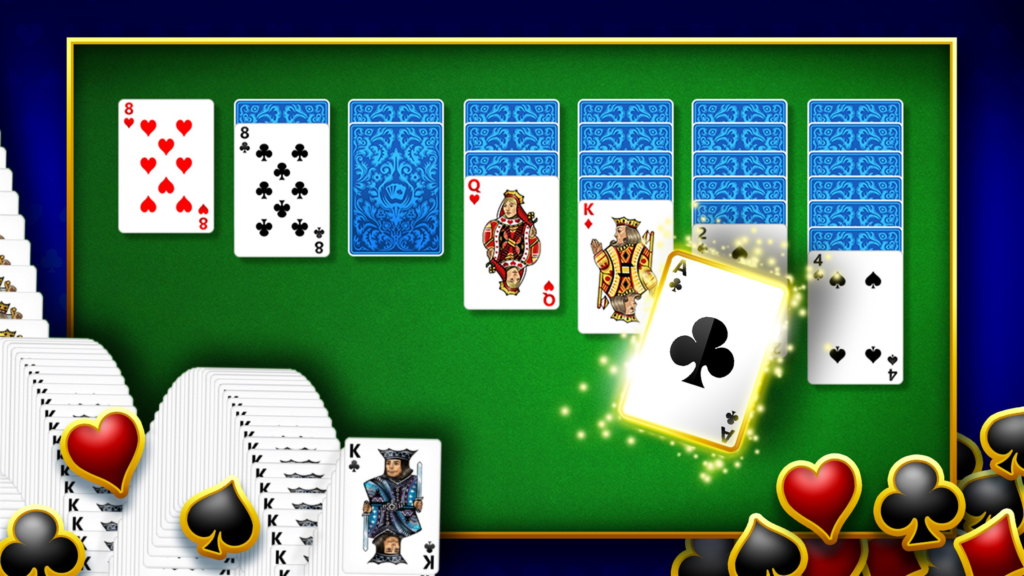
Game 1: Klondike Solitaire – The Classic
Klondike is the solitaire variant most people think of when they hear “solitaire.” It is the game that came pre-installed on millions of Windows computers, introducing generations to the joys of card sorting.
Klondike Rules
The Setup:
- A standard 52-card deck (no jokers)
- Seven tableau piles: first pile has 1 card, second has 2 cards, up to seventh has 7 cards
- Only the top card of each tableau pile is face-up
- The remaining cards form the stock pile (draw pile)
The Goal:
Build four foundation piles (one for each suit) in ascending order from Ace to King.
Gameplay:
- Move cards between tableau piles in descending order (King to Ace) and alternating colors (red on black, black on red)
- You can move sequences of cards if they are in descending order and alternating colors
- Empty tableau spaces can only be filled with a King (or a sequence starting with a King)
- Draw cards from the stock pile (one card at a time or three cards at a time, depending on your settings)
Winning:
You win when all cards are moved to the foundation piles in order (Ace to King of each suit).
Klondike Strategies
Beginner Tips:
- Prioritize face-down cards. Turn over hidden cards as quickly as possible. Each face-down card you reveal gives you more options.
- Build on empty spaces with Kings. Only Kings can fill empty tableau columns. Keep your Kings available for this purpose.
- Use the undo button freely. Experiment with different moves. If a move leads to a dead end, undo and try something else.
- Do not waste moves. Every move should have a purpose. Avoid moving cards back and forth without progress.
- Draw from the stock strategically. If drawing three cards at a time, remember you cannot go back. Plan which card you need.
Advanced Strategies:
- Work from the larger piles first. The piles with more cards have fewer moves before they are exhausted. Prioritize them.
- Empty a tableau column as soon as possible. An empty column is powerful because it can hold any King. Aim for at least one empty column early.
- Consider color distribution. Sometimes you need a red card but only have black available. Plan your moves to expose the needed colors.
- Use hints when stuck. The hint system analyzes the board and suggests a move. Use it to learn new strategies.
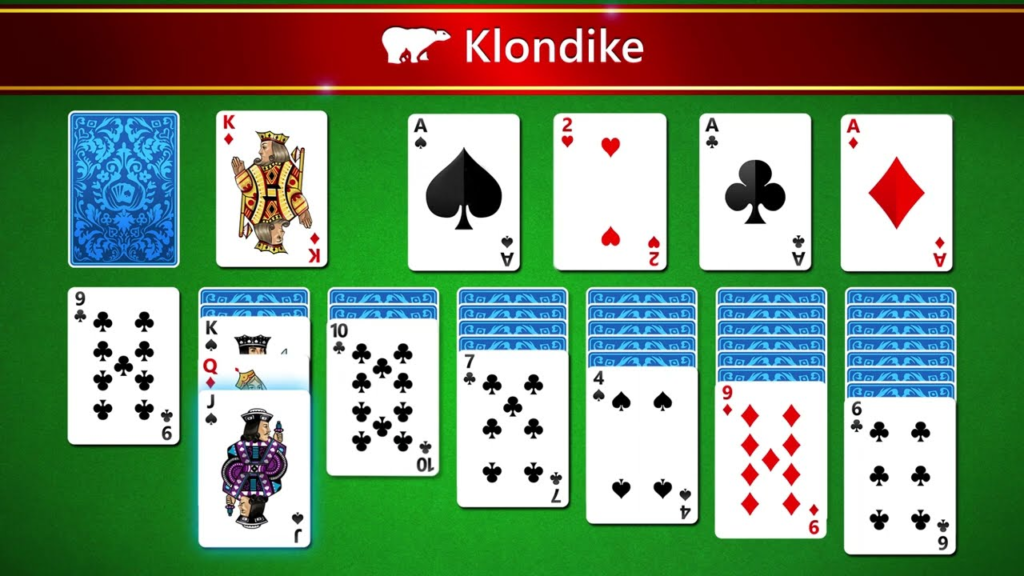
Klondike Settings
| Setting | Options | Effect |
|---|---|---|
| Draw mode | Turn 1 or Turn 3 | Turn 1 is easier; Turn 3 is more challenging |
| Autoplay | On/Off | Automatically moves cards to foundation when possible |
| Sound | On/Off | Toggles card flip and move sounds |
| Timer | On/Off | Tracks how long you take to win (optional) |
Game 2: Spider Solitaire – The Challenger
Spider Solitaire is more complex than Klondike. It uses two decks (104 cards) and requires building sequences of the same suit.
Spider Solitaire Rules
The Setup:
- Two standard 52-card decks shuffled together (104 cards)
- Ten tableau piles: first four piles have 5 cards each, last six piles have 4 cards each
- Only the top card of each tableau pile is face-up
- No stock pile in standard Spider; all cards are on the tableau
The Goal:
Build complete sequences of cards from King down to Ace of the same suit (e.g., King of Spades, Queen of Spades, Jack of Spades, etc.). Completed sequences are removed from the tableau and placed in the foundation.
Gameplay:
- Move cards between tableau piles in descending order (King to Ace) of the same suit (unlike Klondike, which allows alternating colors)
- You can move sequences of cards if they are in descending order and the same suit
- Empty tableau spaces can be filled with any card (no King restriction)
- When no moves remain, you can deal new cards from the stock (if available in your version)
Winning:
You win when all cards are removed from the tableau in complete suit sequences (eight sequences total: two of each suit).
Spider Difficulty Levels
Spider Solitaire is often played at different difficulty levels:
| Level | Suit Restriction | Difficulty |
|---|---|---|
| Easy (1 Suit) | All cards are the same suit | Very Easy |
| Medium (2 Suits) | Two suits (e.g., Spades and Hearts) | Medium |
| Hard (4 Suits) | All four suits | Very Hard |
The classic Spider Solitaire uses 4 suits (Hard). The collection may offer difficulty options.
Spider Strategies
Beginner Tips:
- Build sequences even if they are not complete. A partial sequence (e.g., King-Queen-Jack of Spades) is valuable because you can move it as a unit.
- Empty columns are your best friends. Unlike Klondike, Spider allows any card to fill an empty column. Empty columns give you enormous flexibility.
- Prioritize revealing face-down cards. As in Klondike, hidden cards are useless. Turn them over.
- Do not mix suits unnecessarily. Once you mix suits in a sequence, you cannot separate them easily. Keep sequences single-suit when possible.
Advanced Strategies:
- Plan for the long term. Spider games can take 20-30 minutes. Do not make short-term moves that hurt your long-term prospects.
- Use empty columns to reorganize. Empty columns allow you to temporarily store sequences while you rearrange other piles.
- Focus on one suit at a time. Complete one suit entirely before moving to the next. This prevents the board from becoming cluttered with mixed suits.
- Know when to give up. Spider has a low win rate (especially on 4-suit). Sometimes it is better to restart than to struggle for an hour.
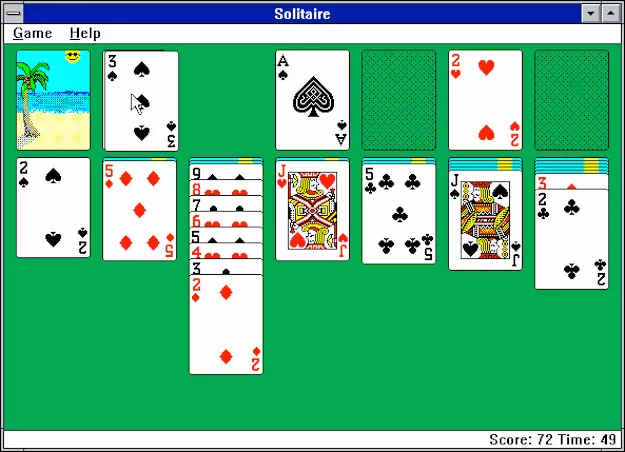
Spider Settings
| Setting | Options | Effect |
|---|---|---|
| Difficulty | 1 Suit, 2 Suits, 4 Suits | Determines suit restriction |
| Autoplay | On/Off | Automatically removes completed sequences |
| Sound | On/Off | Toggles game sounds |
| Timer | On/Off | Tracks play time |
Game 3: FreeCell – The Pure Logic Puzzle
FreeCell is considered the most skill-based solitaire variant because every game is winnable if played perfectly. There is no luck in the draw—all cards are visible from the start.
FreeCell Rules
The Setup:
- A standard 52-card deck
- Eight tableau piles (most versions use 8 piles, 6-7 cards each)
- Four free cells (temporary storage slots) at the top left
- Four foundation piles at the top right
- All cards are face-up from the start (no hidden cards)
The Goal:
Build four foundation piles (one for each suit) in ascending order from Ace to King.
Gameplay:
- Move cards between tableau piles in descending order and alternating colors (same as Klondike)
- You can move only one card at a time unless you have empty free cells and empty tableau columns
- You can place any card into an empty free cell
- You can place any card into an empty tableau column
- You can move a sequence of cards if you have enough empty free cells and empty columns to temporarily store them
Free Cells:
The four free cells are your key resource. Each free cell can hold one card temporarily. This allows you to “park” a card while you move other cards around.
Empty Columns:
Each empty tableau column acts as a “super free cell” that can hold a sequence of cards.
Sequence Movement Formula:
You can move a sequence of N cards if you have at least (N-1) empty free cells available, or one empty tableau column acts as many free cells.
Winning:
You win when all cards are moved to the foundation piles in order.
FreeCell Strategies
Beginner Tips:
- Keep free cells empty when possible. Free cells are for temporary storage, not permanent parking.
- Move Aces and Twos to foundation early. Getting low cards to the foundation frees up the tableau.
- Do not block your progress. Avoid placing a low card on top of a higher card of the same color (e.g., red 5 on red 6) because you will need that high card later.
- Use the undo button freely. FreeCell is deterministic; you can try different sequences.
Advanced Strategies:
- Count your free cells before moving sequences. If you have 2 empty free cells, you can move a sequence of up to 3 cards (2+1). Plan accordingly.
- Empty a tableau column early. An empty column acts as infinite free cells for sequence movement. Make this a priority.
- Think 5-10 moves ahead. FreeCell is pure logic; the optimal strategy can be planned in advance.
- Learn common patterns. Over time, you will recognize recurring board configurations and know the solution.
FreeCell Settings
| Setting | Options | Effect |
|---|---|---|
| Autoplay | On/Off | Automatically moves cards to foundation |
| Sound | On/Off | Toggles game sounds |
| Timer | On/Off | Tracks play time |
Customization and Features
The Solitaire Collection includes several features that enhance gameplay:
Unlimited Undos
You can undo any move (or multiple moves) at any time. This feature is especially useful in FreeCell, where a wrong move can be corrected. It also helps beginners learn without fear of “ruining” the game.
How to use: Click the Undo button (curved arrow) to revert the last move. Click repeatedly to undo multiple moves.
Unlimited Hints
Stuck? Click the Hint button. The game analyzes the board and suggests a legal move. Hints do not solve the game for you, but they point you in the right direction.
How to use: Click the Hint button (lightbulb or question mark). The game will highlight a recommended move.
Autoplay
When Autoplay is enabled, cards that can be moved to the foundation automatically will be moved without you needing to click them. This speeds up gameplay, especially in late-game stages.
When to use: Turn Autoplay on for faster play; turn it off if you prefer manual control.
Turn 1 vs. Turn 3 (Klondike Only)
- Turn 1: Draw one card at a time from the stock. Easier; higher win rate.
- Turn 3: Draw three cards at a time. More challenging; requires more planning.
Sound
Toggle card flip and move sounds on/off. Some players find the sounds satisfying; others prefer silence.
Timer
If enabled, the timer tracks how long you take to complete a game. Compete against your own best times.
Frequently Asked Questions (FAQs)
1. Is the Solitaire Collection really free to play?
Yes, the Solitaire Collection is 100% free. You can play Klondike, Spider, and FreeCell without spending any money. No subscriptions, no in-app purchases, no hidden fees.
2. Do I need to download anything to play?
No download or installation is required. The Solitaire Collection is an HTML5 browser game that runs directly in your web browser. Just click and play.
3. Can I play on my phone or tablet?
Yes. The game is fully compatible with iOS and Android mobile devices. On mobile, you control the game by tapping and dragging cards.
4. What is the difference between Turn 1 and Turn 3 in Klondike?
Turn 1: You draw one card at a time from the stock. You see each card, decide whether to use it, then draw the next. Easier.
Turn 3: You draw three cards at a time. You see the first card; if you cannot use it, you must draw the next set of three. You cannot go back to a card you skipped. More challenging.
5. Which Solitaire variant is the easiest?
FreeCell (every game is winnable with perfect play) and Klondike Turn 1 are the easiest. Spider 4 Suit is the most difficult.
6. Which Solitaire variant is the most challenging?
Spider with 4 suits is widely considered the most challenging solitaire variant. The win rate for perfect play is low, and many games are unwinnable.
7. Are all FreeCell games winnable?
Yes, with perfect play, every FreeCell game is winnable. However, some games require dozens of moves and deep planning. If you lose, it is because of your strategy, not bad luck.
8. How do I use the hint system?
Click the Hint button (lightbulb or question mark). The game will highlight a recommended move. Hints are unlimited—use them as often as you like.
9. Can I undo moves?
Yes. Click the Undo button (curved arrow) to revert the last move. You can undo multiple moves. Undos are unlimited.
10. What does Autoplay do?
When Autoplay is enabled, cards that can be moved to the foundation automatically will be moved without your input. This speeds up the endgame.
11. How do I win at Spider Solitaire?
Strategies for Spider:
- Keep columns as empty as possible
- Build same-suit sequences
- Reveal face-down cards quickly
- Do not mix suits unnecessarily
- Be patient; Spider games take time
12. How do I win at FreeCell?
Strategies for FreeCell:
- Keep free cells empty
- Empty a tableau column early
- Move Aces and Twos to foundation quickly
- Plan 5-10 moves ahead
- Every game is winnable; if you lose, try a different strategy
13. Is there a difference between Klondike and standard Solitaire?
No. “Solitaire” usually refers to Klondike. The Solitaire Collection includes Klondike, Spider, and FreeCell as separate games.
14. Can I change the card design?
The classic version uses standard card faces (hearts, spades, diamonds, clubs). Some versions allow different card backs or table colors. Check the settings menu.
15. How do I start a new game?
Click the “New Game” button. You can choose which variant to play (Klondike, Spider, or FreeCell) and adjust settings before starting.
16. Does the game track my statistics?
Some versions track wins, losses, and win percentages. Statistics may reset when you close your browser unless saved.
17. Why is Spider called “Spider”?
The name comes from the eight tableau piles (like eight legs of a spider) and the web-like arrangement of cards.
18. Why is FreeCell called “FreeCell”?
The name comes from the four “free cells” (temporary storage slots) that give the player additional flexibility.
19. Can I play offline?
No. The Solitaire Collection requires an internet connection to load the game. Once loaded, a stable connection is needed for saving progress (if implemented).
20. Is this game like Microsoft Solitaire?
Yes. The Solitaire Collection includes all the features from classic Microsoft Solitaire: Klondike (Turn 1 and Turn 3), Spider, FreeCell, unlimited undos, unlimited hints, autoplay, sound, and customizable settings.
The Enduring Appeal of Solitaire
Solitaire has been a staple of personal computing since the early 1990s, when Microsoft included it in Windows 3.0 to teach users mouse skills. Decades later, the appeal remains:
Accessibility
No complex rules. No time pressure. No competition. Anyone can play.
Mental Exercise
Solitaire requires planning, pattern recognition, and strategic thinking. It is a gentle cognitive workout.
Stress Relief
The repetitive, low-stakes nature of solitaire is meditative. Many players use it to unwind.
Nostalgia
For millions, solitaire is tied to memories of early home computers, rainy afternoons, and quiet moments.
Portability
Browser-based solitaire can be played anywhere—on a break at work, on a train, on a couch.
Conclusion: Three Classics, One Collection
The Solitaire Collection brings together three of the most beloved card games in a single, free, browser-based package. Whether you prefer the classic challenge of Klondike, the complexity of Spider, or the pure logic of FreeCell, you will find hours of entertainment here.
The unlimited undos and hints make the games accessible to beginners, while the customizable settings (Turn 1 vs. Turn 3, Autoplay, difficulty levels) provide depth for experienced players.